Don’t just make a prompt. Build the whole promotion.
One idea can now become:

What do you want to make today?
Start with the result you want. Easy AI Graphics will build the wording and instructions for you.
Facebook Ad Maker
Get the image prompt, post text, headline, call-to-action, and hashtags from one set of details.
Complete ad packageBusiness Promotion Kit
Turn one business offer into multiple ready-to-use promotional pieces.
Great for small businessFix My Graphic
Tell us what went wrong — misspelled text, changed face, bad layout, wrong size — and get a correction prompt.
TroubleshootingUse My Own Photo
Create a prompt that tells ChatGPT what must stay unchanged when using a person, product, logo, or building photo.
Preserve identity30-in-1 Graphic Builder
The original Easy AI Graphics builder — ads, flyers, covers, thumbnails, memes, infographics, mockups and more.
Original toolMy Business Profile
Save your business name, website, phone, colors, slogan, and service area once and reuse them across the tools.
Saved on this deviceSave your business information once
Easy AI Graphics can automatically reuse this information when it builds your ads. It is stored only in your browser on this device.
My Business Profile
Optional — fill in only what you want reused.
Facebook Ad Maker
Give us the offer once. Get the picture instructions and the words to post with it.
1. Tell us about the ad
Short answers are fine.
2. Ready-to-use ad package
Copy the whole package or just the part you need.
Business Promotion Kit
One offer in. A whole mini campaign out.
Build a promotion kit
This uses your saved business profile automatically when available.
Your mini campaign
Includes a Facebook graphic prompt, Facebook post, flyer prompt, Instagram caption, slogan ideas, and CTA ideas.
Fix My Graphic
AI image came out wrong? Choose the problem and Easy AI Graphics will tell ChatGPT exactly what to correct.
What went wrong?
Upload the bad graphic to ChatGPT after you copy the correction prompt.
Correction prompt
Copy this, upload the original graphic to ChatGPT, and paste the prompt.
Use My Own Photo
Especially useful for ads featuring you, an employee, a product, a building, a vehicle, or an existing logo.
Protect what matters in the photo
This produces image-edit instructions rather than a generic new image.
Photo-editing prompt
Upload your original photo to ChatGPT before pasting this.
Real projects show what AI can become
The goal is not to stop at “make me a picture.” Use AI to turn an idea into something useful, then use Easy AI Graphics to help promote it.
Starter
Website + training tools + Android app
An idea became a complete wedding-officiant training business with a website, Student Center, script builders, and downloadable Android app.
See the real test workflow ↓Visit WeddingOfficiantStarter.com ↗
Graphics
From prompt builder to creative toolkit
This site itself started simple. Easy AI Graphics 2.4 shows how an existing idea can be expanded into a much more useful tool.
Explore the new tools ↑at a Time
Screenshot-by-screenshot help
Learn how to take an idea and build it with ChatGPT one click, one screenshot, and one understandable step at a time.
Visit OneClickAtATimeTech.com ↗See what a real test looks like
This example shows the actual kind of input someone entered into the Facebook Ad Maker and the kind of organized ad package Easy AI Graphics produced from it.
1. Example input
This test used WeddingOfficiantStarter.com.
2. What Easy AI Graphics created
The Facebook Ad Maker turned those details into a ready-to-use package.
3. Finished example result
This is an example ad image generated from the WeddingOfficiantStarter test prompt.
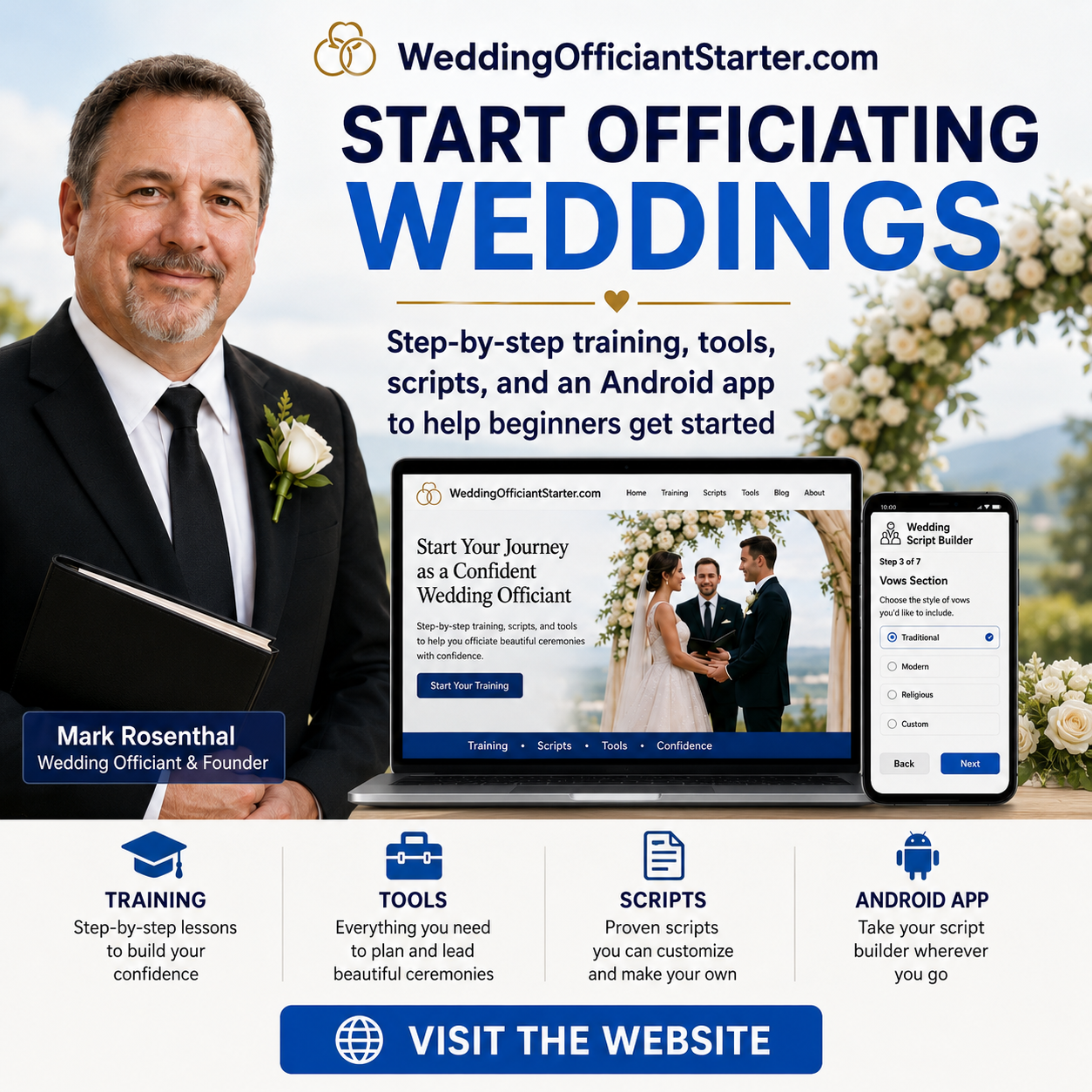
From a few details to a finished ad concept
The purpose of Easy AI Graphics is to help a beginner turn plain-English details into organized instructions that ChatGPT can use to create a polished graphic.
- Input: business, offer, headline, audience, action, and important details.
- Easy AI Graphics: builds the structured image prompt and matching Facebook ad package.
- ChatGPT: uses that prompt to create the finished graphic concept.
The original 30-in-1 Graphic Prompt Builder
Still here — now it is one tool inside a much larger creative center.
1. Tell me what you want
Choose a format and add the information that needs to appear.
2. Copy your ready-to-use prompt
Paste it into ChatGPT and ask it to generate the finished graphic.
See all 30 visual types
How Easy AI Graphics works now
You do not have to know how to “prompt engineer.” Start with what you are trying to accomplish.
Ad, promotion kit, image repair, photo edit, or classic graphic prompt.
Tell us the offer, audience, wording, or what needs fixing.
The tool builds organized wording that ChatGPT can follow.
Open ChatGPT, paste the result, and create or repair the graphic.
Enjoying the toolkit?
I built Easy AI Graphics to help everyday people create better graphics without expensive software or complicated prompting. If it helped you, you can support the project with a small tip.
Support Mark on Cash App — $easypaymark